Text Summarisation and Feature Engineering using TF-IDF
Table of Contents
This article explains how textual data is modelled in natural language processing. Several modelling techniques exist to model language in NLP:
Bag of words and Term Frequency matrices
N-gram modelling
Word Embedding Techniques
Transformer-based Embedding
For the sake of this article, Bag of words, N-gram modelling and Term Frequency matrices will be discussed. However, prior to any decent language modelling, textual data needs to be preprocessed.
Text Preprocessing
Given textual data, the following preprocessing takes place prior to any meaningul analytics:
Unwanted characters removal using Regex
Tokenisation
Stemming
Lemmatisation
Stop Words Removal
Noise Removal using Regular Expressions
Regular expressions, often abbreviated as “regex” or “regexp”, are sequences of characters that define a search pattern used for pattern matching and text processing tasks.
import re  #library for regular expression

text = "The $#quick brown fox #jumps over the lazy dog!!!"
pattern = r'[^a-zA-Z\s]' #find unwanted characters (non-alphanumeric and non-whitespace)

clean_text = re.sub(pattern, '', text)#replace them with an empty string
print('initial text:', text)
print('\nafter cleaning:',clean_text)
Tokenisation
Tokenisation is the process of diving text into a sequence of tokens, which roughly corresponds to “words”. The nltk package is a very rich Python package that can be used for word tokenisation as well as sentence tokenisation.
#pip install nltk
#nltk.download('punkt') #donwload necessary resources

from nltk.tokenize import word_tokenize

text = "Hello! How are you? I am doing well."

words = word_tokenize(text)
print(words)
from nltk.tokenize import sent_tokenize

text = "Hello! How are you? I am doing well. Let's learn NLP."

sentences = sent_tokenize(text)
print(sentences)
Stemming
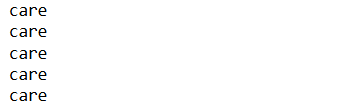
Stemming is the process of transforming words into a root term to minimise redundancies. The root term is not necessarily a word. For instance, the words ‘caring’, ‘cares’, ‘cared’, ‘caringly’ and ‘carefully’ represent the same underlying reality in language understanding and therefore can be converted to the same root for the sake of concise representation of information in textual data analysis.
from nltk import SnowballStemmer, PorterStemmer, LancasterStemmer
words = 'caring cares cared caringly carefully'
# find the stem of each word in words
stemmer = SnowballStemmer('english')
for word in words.split():
    print(stemmer.stem(word))
Lemmatisation
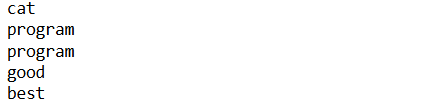
A very similar operation to stemming is called lemmatisation. Lemmatising is the process of grouping words of similar meaning together to a root term existing with the target vocabulary. Unlike, stemming whose roots are not necessarily existing words, lemmatisation ensures that the root term are existing words in the language vocabulary.
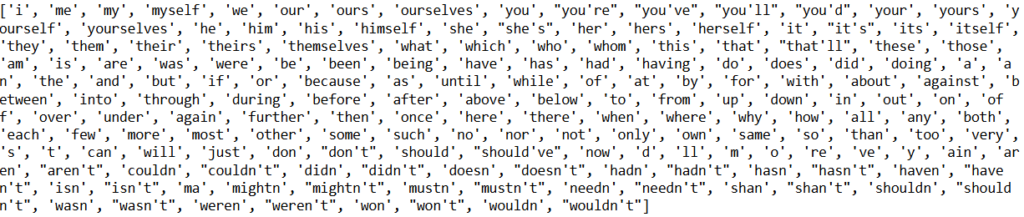
Stop words are words which do not contain pertinent information in carrying the core significance of natural language communication. Usually these words are filtered out from search queries because they return a vast amount of unnecessary information. Typically stop words are pronouns, prepositions, adverbs and auxiliary verbs.
from nltk.corpus import stopwords
print(stopwords.words('english'))#list of english stopwords
from nltk.corpus import stopwords
from nltk.tokenize import word_tokenize

text = 'the world is ending, i can see it in the air'
tokens = word_tokenize(text)#fetch tokens
eng_stopwords = stopwords.words('english')#get list of stopwords in english
tokens_stops_removed = [word for word in tokens if word not in eng_stopwords]#remove stop words from list
text_clean = " ".join(tokens_stops_removed)

print("text-->",text)
print("tokens-->",tokens,end="\n\n")
print("tokens [stopwords removed] -->",tokens_stops_removed)
print("text [stopwords removed]-->",text_clean)
Text Preprocessing Function
Given your knowledge of text preprocessing components, a user function can be designed to preprocess a given text string.
import re  #library for regular expression
from nltk.corpus import stopwords
from nltk.tokenize import word_tokenize


def text_preprocess(text):
    pattern = r'[^a-zA-Z\s]' #find unwanted characters (non-alphanumeric and non-whitespace)
    text = text.lower()#put to lower case
    clean_text = re.sub(pattern, '', text)#replace them with an empty string
    tokens = word_tokenize(clean_text)#fetch tokens
    eng_stopwords = stopwords.words('english')#get list of stopwords in english
    eng_stopwords.append('th') #add user aware additional stop words
    tokens_stops_removed = [word for word in tokens if word not in eng_stopwords]#remove stop words from list
    text_clean = " ".join(tokens_stops_removed)
    return text_clean
Feature Engineering
Feature Engineering is the process of building numerical features from textual data. Several feature engineering techniques exist based on the amount of semantic content that the method can acquire.
Bag-of-words modelling and Term Frequency Inverse Document Frequency (TFIDF)
Static Word Embeddings
Transformer-based Contextual Embeddings
In this tutorial, we will focus on the most basic feature engineering technique: The TFIDF method.
Bag-of-words and n-grams
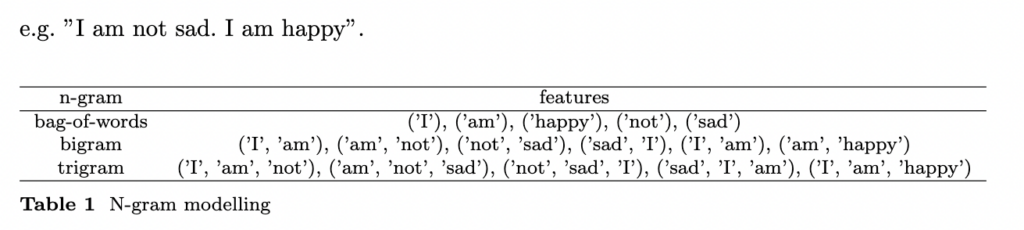
Bag of words, unique words in the text document, are most basically used as features for language modelling. N-gram consist of forming text feature by using the frequency count of adjacent n-compound words. The bag of words used in basic feature engineering thus represents a 1-gram model. Unlike the bag of words or unigrams, n-gram (n>1) can enhance the capturing of contextual information in language modelling.
Term Frequency
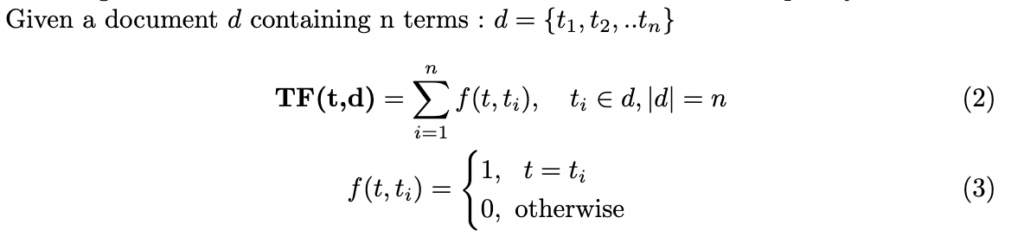
The Term Frequency (TF) is a measure of token counts in a text document. It is a first-degree feature engineering process whereby each term is converted numerically by taking the number of times it occurs in the textual dataset. Term frequencies of bag-of-words or n-grams in general are used to form the frequency matrices.
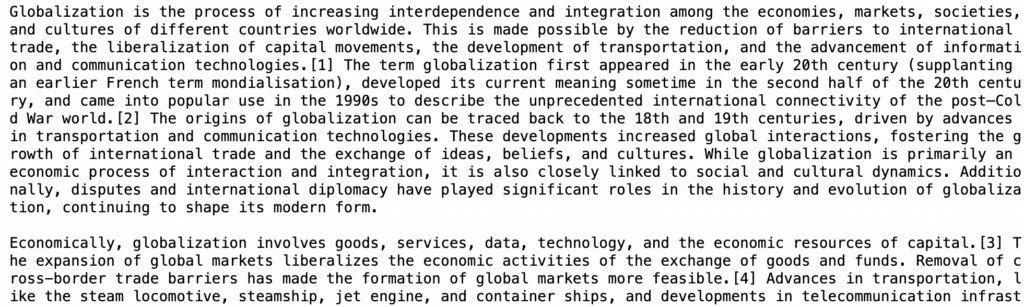
Let’s consider an excerpt text from Wikipedia on Globalisation and a corpus (i.e. collection of documents about a subject) related to formal documents also extracted from Wikipedia.
import requests

url_base = "https://raw.githubusercontent.com/mlinsights/freemium/refs/heads/main/datasets/text-analysis/globalisation/"
url = url_base+"globalisation.txt"
response = requests.get(url)#get from the web
text = response.text
print(text)
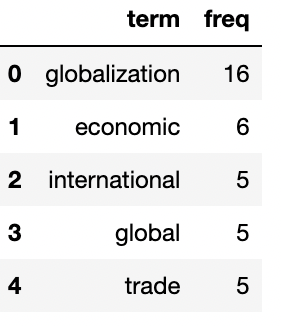
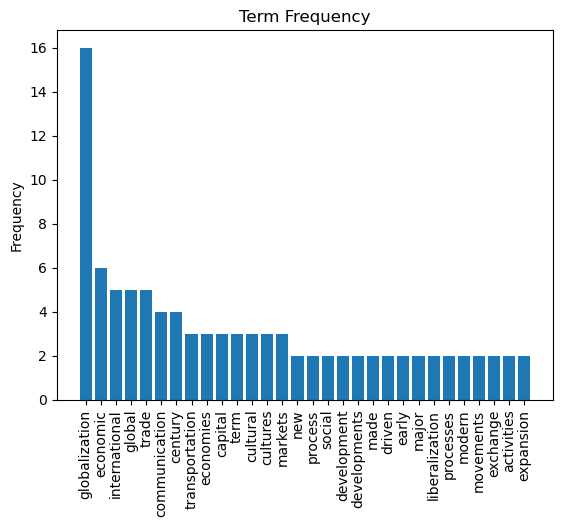
The Sklearn CountVectorizer can be used to generate a term frequency matrix from text.
from sklearn.feature_extraction.text import CountVectorizer
import pandas as pd

#preprocess input text
clean_text = text_preprocess(text)
# create count vectorizer
cvz = CountVectorizer()
# get token counts
result_cvz = cvz.fit_transform([clean_text])
#get feature list
feature_list = cvz.get_feature_names_out()
#get tokens count
tf_array = result_cvz.toarray()[0]

#tf dataframe
tf = pd.DataFrame({'term':feature_list, 'freq':tf_array})
tf.sort_values(by=['freq'],inplace=True,ascending=False)
tf.reset_index(drop=True, inplace=True)

tf.head()
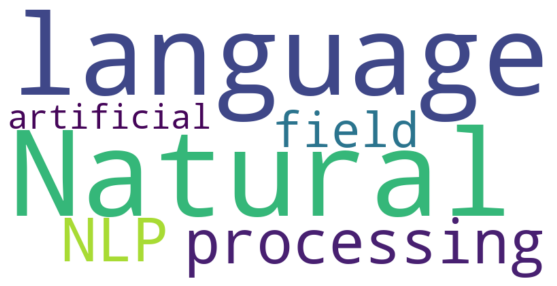
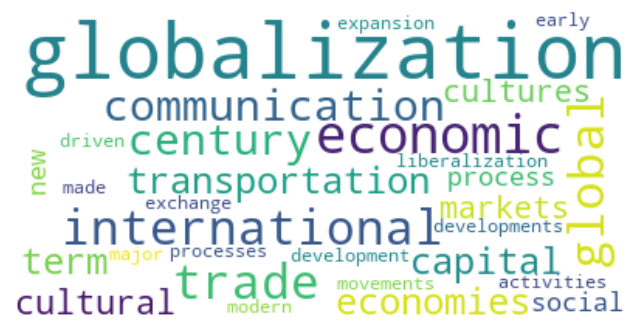
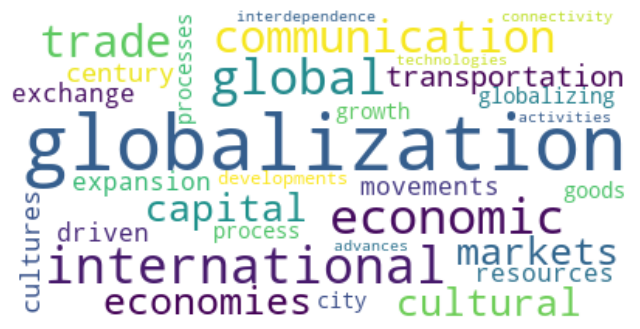
The WordCloud is a visual representation of word frequency counts. It is a good aid to get a visual appreciation of the information content in textual data. In the code below, the term frequency matrix is presented in a wordcloud.
from wordcloud import WordCloud

word_freq = {}
num_terms = len(tf)
for i in range(num_terms):
    freq = tf.iloc[i,1]
    term = tf.iloc[i,0]
    word_freq[term] = freq

wordcloud  = WordCloud(max_font_size=50,
                          max_words=top_n, background_color="white").generate_from_frequencies(word_freq)

plt.figure(figsize = (8,8), facecolor = None)
plt.imshow(wordcloud,interpolation="bilinear")
plt.axis("off")
plt.show()
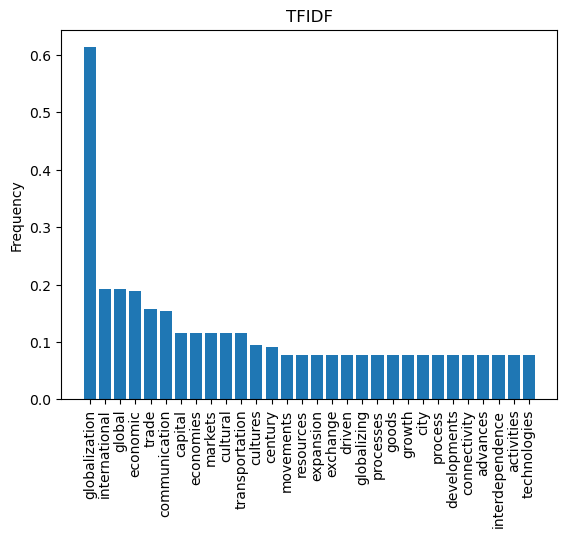
TFIDF - Term Frequency Inverse Document Frequency
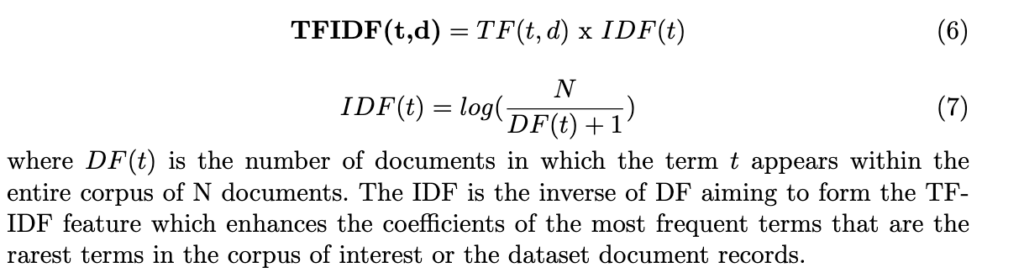
The TFIDF is simply a frequency measure of the number of occurrences of a word within a document scaled against a scarcity weight of its use within the word context (i.e. corpus = collection of documents).
It aims to assign a high numerical frequency to words that often occur in a text but are less common within its context to highlight pertinence or information content.
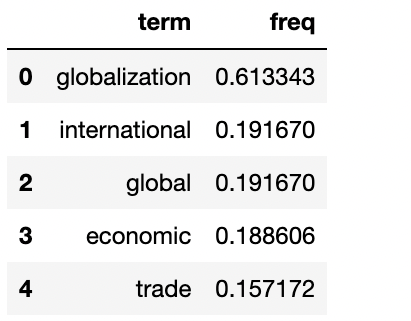
The Sklearn TfidfVectorizer object can be used to generate a TFIDF vector for a given text data against a corpus. It is worth nothing however that the TfidfVectorizer generates TFIDF vector for both the entire corpus, by comparing each document against the remaining documents in the corpus. An artifice must thus be done, to only extract data from the textual data of interest, by passing its vocabulary list and fetching only its vector from the vectorizer output.
# import required module
from sklearn.feature_extraction.text import TfidfVectorizer
from nltk.tokenize import word_tokenize
import numpy as np

vocabulary = np.unique(word_tokenize(clean_text)).tolist()#fetch bag of words
corpus = []
#corpus
for i in range(5):
    url = url_base+"corpus/corpus_%d.txt"%(i+1)
    response = requests.get(url)#get from the web
    corpus_i = response.text
    corpus.append(corpus_i)
#add document into the corpus
corpus.append(clean_text)

# create object
tfidf = TfidfVectorizer(vocabulary=vocabulary)
# get tf-df values
result_tfidf = tfidf.fit_transform(corpus)
#get feature list
feature_list = tfidf.get_feature_names_out()
#get the TFIDF of the last document
tfidf_array = result_tfidf[-1].toarray()[0]

#tf dataframe
tfidf = pd.DataFrame({'term':feature_list, 'freq':tfidf_array})
tfidf.sort_values(by=['freq'],inplace=True,ascending=False)
tfidf.reset_index(drop=True, inplace=True)

tfidf.head()
from wordcloud import WordCloud

word_freq = {}
num_terms = len(tfidf)
for i in range(num_terms):
    freq = tfidf.iloc[i,1] #read data from the TFIDF matrix
    term = tfidf.iloc[i,0]
    word_freq[term] = freq

wordcloud  = WordCloud(max_font_size=50,
                          max_words=top_n, background_color="white").generate_from_frequencies(word_freq)

plt.figure(figsize = (8,8), facecolor = None)
plt.imshow(wordcloud,interpolation="bilinear")
plt.axis("off")
plt.show()
Conclusion
In this tutorial, text summarisation and featuring engineering in NLP is discussed. Any meaningful analytics with textual data requires denoising that involves regex, stemming or lemmaisation and stop word removal. Feature engineering in textual data typically involves finding a numerical representation of textual data while carrying semantic information. The Term Frequency and Term Frequency Inverse Document Frequency vectors are the most fundamental numeric representation of textual data, however with very limited semantic flexibility. They are nevertheless performant in several text classification problems and other NLP tasks. More advanced and robust techniques such as word embedding, and contextual sentence embedding can be investigated.